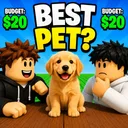
Choose your favorite PC and mobile controls
The table, the board, and the shop are three different tap targets.
Choose your favorite is a sit-down minigame. Movement is short. The dangerous part is HUD overlap: Shop, Cash, VIP, chair preview, and the draft board compete for the same thumbs. This page is the input guide. It will not invent keybinds Burnt Pancake never listed. It will tell you which surface you should be touching during a $20 bid so you do not buy Nova Void while trying to lock Eagle $3.
PC
Walk to the table with WASD, camera with mouse. Interact uses the standard Roblox prompt (E or click, depending on your account settings). Once seated, the board is click-driven: pick, confirm, watch remaining Cash. Esc opens Roblox core UI, not the draft. If you need cosmetics mid-session, stand up first — shops in this genre often ignore clicks during a live compare. Full loop: getting started. Wallet: how to bid.
Shift-lock is optional. It helps when you are hunting a friend in a 30-player server before play with friends is even relevant. It hurts when you are trying to tap a small Redeem field later — how to redeem wants paste, not a spinning camera.
Mobile and tablet
Thumb the jump button away from the bid strip. Pinch zoom once so BEST PET and the price row are both visible. Do not rest a finger on the right-side Robux shop while the timer runs. Throne passes (49 / 149 / 199) live in that shop; they are not draft picks. Rank them on chair tiers after the round. 2x passes are the same story: gamepass value.
If the on-screen keyboard covers the confirm button, paste from the codes hub only when a real string exists. Until then, close the keyboard and play the board. Category help: pets, food, superheroes, movies.
Console
Roblox on console uses the platform’s interact button. Treat the draft as a menu: highlight, confirm, back. Avoid opening the Roblox store overlay during a bid. Friend invites still follow play with friends.
Accessibility and session hygiene
Large text in Roblox settings helps the $8 versus $3 distinction. Color is loud on official art (green money, yellow PET) but in-world UI may be smaller. Take a breath between rounds; misclicks happen when you chase how to win on tilt. Scripts that auto-click bids are bans: script safety. After patches, HUD labels can move — patch notes. Official group: links. Furniture grind: how to get chairs. Scratch pad: draft budget tool. Sibling guides stay in the guides hub.
If one sentence survives: sit, read the header, click the board, ignore the throne until Cash is honest.
A misclick log
After any accidental shop tap, write what you meant to hit and what you hit. Three misclicks and you change Roblox touch sensitivity or switch to PC for drafts. That log belongs on this controls page, not on how to get chairs. Friends still need the same log in play with friends 1v1s. After HUD moves, reread patch notes then this page. The $20 board is click-fragile. Treat thumbs as part of the skill ceiling.
One round, three surfaces
Name them before you sit: walk mesh, draft board, Robux shop. If a tap hits the wrong surface, stand up, then resume. That sentence is the whole controls skill. Rehearse it on pets before you invite anyone in play with friends. After a HUD shuffle, reread patch notes and come back here — not to how to get chairs.
Frequently Asked Questions
Quick answers about drafts, chairs, and codes.
What is the interact key?
Standard Roblox prompt on PC (often E or click). There is no unique Choose-your-favorite keybind published.
Why did I buy a chair mid-round?
Shop overlap on mobile. Stand up, then open cosmetics. See how to get chairs.
Can I play one-handed on phone?
Yes if you zoom the board. Keep the Robux shop off the thumb path.